
How to Search Civil Dockets
Minnesota Court Records Online, known as MCRO, is the fastest remote route to a public Roseau County civil docket. A case number gets you straight to the file. Working from a party name takes more care: choose Person or Business, select Civil, set Roseau as the court location, and check the caption, role, filing date, subtype, and status before you open a result. One name can show up in several unrelated cases.
MCRO is not the whole record system, though. Document Search runs on a case number. Judgment Search is its own product. The courthouse MPA/MNPAC terminal can offer more complete public electronic access than the remote site. Court Administration handles counter, telephone, mailed, and current copy-request routes when you need an official copy or cannot read a record remotely.
- Open MCRO Case Search and enter the full case number, if available.
- Otherwise select Person or Business and search one party name at a time.
- Apply the Civil category and Roseau location filters, then compare captions and filing dates.
- Open Case Details and read the ROA from the initiating filing through the latest event.
- Use the case number for Document Search or ask Court Administration about a certified or nonremote copy.
Roseau County Civil Docket Search Filters
MCRO splits its searches by name, case number, citation number, and attorney. Civil lookups get sharper with several controls. Use the Person or Business choice, the county selection, a filing-date range, the category, and the live status control. Start name searches with exact spelling. The official tips permit a trailing wildcard after two characters, or Sounds Like for a phonetic match, but never both at once. The MCRO case-search quick reference walks through the official workflow.
If you track your own civil matter, jot down the search date, product, mode, Roseau filter, case number, and status. Keep no personal details beyond what identifies the court file. A county filter narrows the field. Yet the caption, roles, and filing date are what actually pin down the right civil case.
What a Civil Docket Shows
Open a Roseau County civil docket entry and you may find the case number, filing date, case type, status, parties and roles, attorneys, ROA events, hearings, document-index entries, and public judgment or financial fields. Think of the detail record as a chronology. It is not a summary of who was right. A remotely displayed file is not the same thing as a certified court record.
| Case header | Case number, Roseau location, civil subtype, caption, filing date, status, and judicial officer when public. |
|---|---|
| Parties and filings | Role labels, attorneys, summons, complaint or petition, response, counterclaim, and index entries. |
| ROA events | Dated filings, court actions, motion events, orders, document indexes, and access indicators. |
| Hearing entries | Date, time, type, officer, location, and any later continuation or result shown. |
| Judgment details | Public judgment, docketed date, parties, status, satisfaction, assignment, discharge, and related later events. |
The court’s MCRO Case Details page identifies each public case-information field. Read the later events before drawing any conclusion from an early filing.
Roseau County Civil Docket Conciliation Cases
Conciliation Court handles qualifying smaller civil claims. It is a District Court division rather than a separate Roseau courthouse. For a Roseau County civil docket, the route stays the same: Roseau County District Court, its public MCRO layer, and Court Administration. The current Minnesota Judicial Branch information sets the applicable small-claims threshold. Older brochures may carry historical figures that no longer apply.
Conciliation, ordinary civil, family, probate, and mental-health categories can appear as different MCRO filters or subtypes. Their remote-document availability is not identical. Confirm the court location and case category before requesting any record.
Types of Civil Cases on the Docket
Roseau County District Court has original civil jurisdiction. Family, probate, and other categories sit inside the same unified District Court structure. MCRO’s Civil filter helps narrow things down. The label alone does not tell the whole access story. A case type, party role, filing date, and ROA sequence give better context.
- Ordinary civil actions and related motions or orders.
- Conciliation Court matters that meet the current qualifying rules.
- Property, eviction, and other civil filing categories when public.
- Family or probate matters that may have distinct confidentiality limits.
- Judgment-related records that can also be searched through the separate Judgment Search product.
Every Roseau County civil docket category remains subject to the Minnesota Rules of Public Access and any case-specific restriction.
Note: the listed category helps find a case, but access to an underlying document can still differ by record type.
Roseau County Civil Docket Pleadings
A complaint or petition records one party’s filing. It is not a court finding. An answer or response states a position, not a decision. An order is the court’s ruling within its scope. A judgment is a formal resolution or obligation, and later entries may follow it, such as satisfaction, discharge, assignment, appeal, or other post-judgment activity.
That neutral reading rule makes a Roseau County civil docket easier to parse. A status like closed or disposed is not a result by itself; check the official disposition and the later ROA entries. The docket gives the sequence. The controlling order supplies the result.
Settings and Hearings on Civil Dockets
A Roseau County civil docket may list a hearing date, time, type, judicial officer, and location. A scheduled setting does not prove the event happened. Nor does it show that the court reached a result. Review the later Register of Actions entry, order, or judgment. For anything date-sensitive, trust the court notice and Court Administration over one online display.
The Roseau County court calendar is the local schedule route. MCRO Hearing Search can pull public hearings by name, case number, officer, attorney, or date range. Remember that the calendar is only a partial schedule. Case Details remains the better source for the wider civil sequence.
Roseau County Civil Docket Calendar Limits
Roseau County posts its official civil calendar each business day at 7:00 a.m. The court refreshes it hourly. Even so, the list will not name every matter heard that day. For the freshest version, check the printed calendars sitting outside courtrooms or in public lobbies. The court itself calls them the most current daily source. If a civil hearing has no row on the calendar, that silence means nothing. It is not proof of a cancellation or a reschedule.
Start with the Roseau daily calendar to find a public setting. Then match what you see against the Roseau County civil docket. When time is tight, a call to Court Administration settles it fastest. One caution: a calendar row shows a scheduled event, nothing more. Treat it as a date, not a civil outcome.
Public Access to Civil Dockets
A Roseau County civil docket may be public and still resist remote downloads. Rule 8 draws a line. It separates what a computer screen can show from what a courthouse visit allows. Protected family, juvenile, medical, evaluation, financial, and address material can be withheld from either. So a missing complaint has many possible causes. The file may simply be old. It may fall past a document-date limit, carry an exhibit restriction, or be confidential or sealed.
Three doors exist. MCRO can find a public case. MPA/MNPAC adds a courthouse access layer on top. Court Administration handles official copies, access questions, and document requests. An empty download link is never proof that no filing exists.
Key Rules:
Minnesota Rule of Public Access 8 sets public-inspection and remote-access boundaries.
Minnesota Rule of Public Access 4 identifies nonpublic and restricted categories.
General Rule of Practice 11 addresses protected identifiers and confidential filing practice.
Minn. Stat. § 485.07 describes the court administrator’s register, judgment roll, docket, and indexes.
Roseau County Civil Docket Judgment Search
Two different tools, two different answers. A Roseau County civil docket case search pulls up the underlying ROA and the filings in a matter, while a judgment search hunts for public judgment information using a debtor or business name, a docketed date, a status, and county controls. Reading case history built on a judgment result? Tie that result to the underlying case number first. That one step keeps the record honest.
The MCRO Judgment Search covers the judgment layer alone. Treat a hit as a starting point, not a closing word. A judgment entry by itself will not tell you whether satisfaction, assignment, discharge, or appeal activity came later. Note: Match the judgment to the case number before treating it as the complete civil record.
For the search screen itself and the fields it accepts, go straight to MCRO Judgment Search.
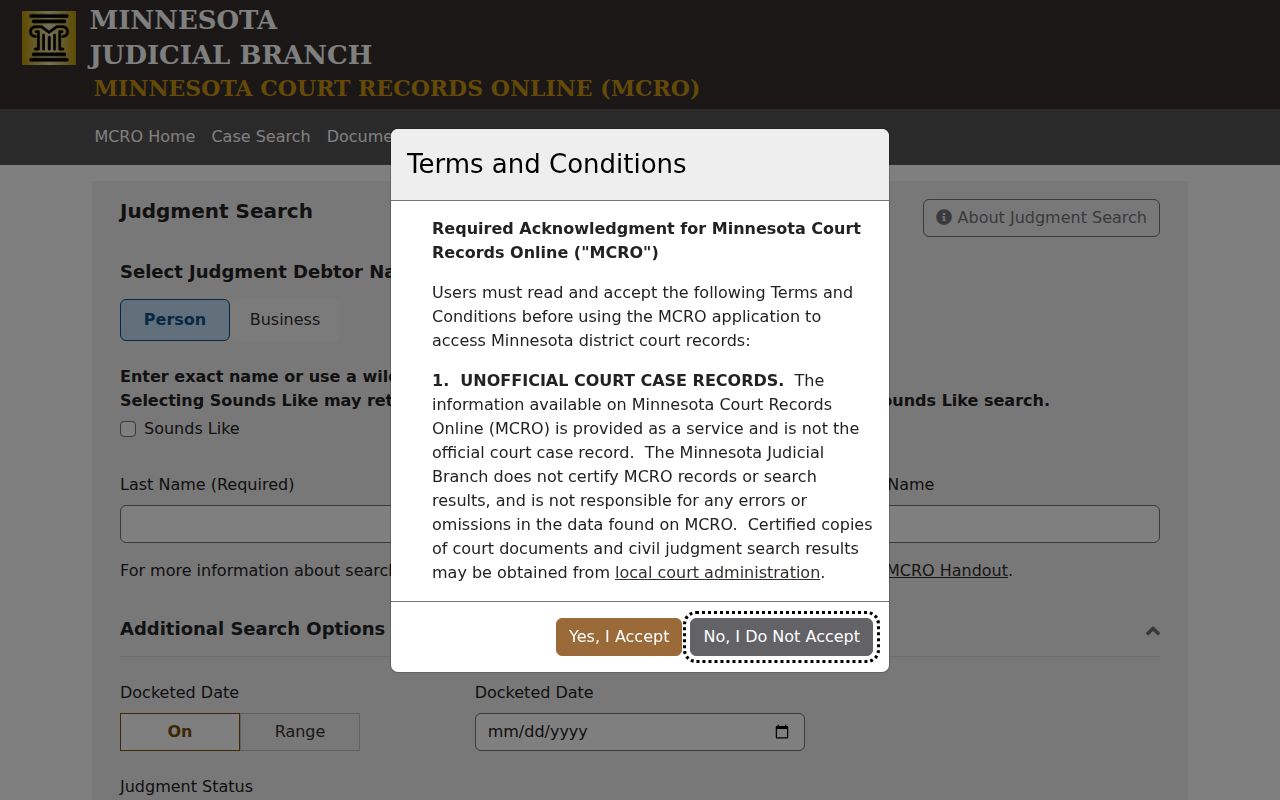
Set the Roseau filter first. Then use the underlying case number to link a judgment record to its civil docket sequence.
Roseau County Civil Docket Documents
Documents work differently from case records in Minnesota's system. MCRO Document Search wants the Minnesota case number, full stop. With nothing but a party name, run Case Search first. Grab the number. Then go back for remotely accessible documents. What comes back is a title, an index date, and an accessibility status. Keep expectations modest, since the document archive is deliberately narrower than the register of actions.
A Roseau County civil docket complaint or order will not download? You still have options. MNPAC terminals at the courthouse open the wider set. Court Administration can supply plain, certified, exemplified, or combined certified-and-exemplified copies. The Minnesota copy-request information walks through the statewide choices and the current process.
The main Minnesota Judicial Branch page is where those statewide court services begin.
One statewide system powers both the MCRO and copy-request layers behind any Roseau County civil docket search.
Roseau County Civil Docket Fee Context
Filing fees and copy fees are two different transactions. The Roseau fee page splits them out. Regular civil filing runs $320, small claims $150, a motion or response $100, and an eviction action $320. Many filing fees also fold in a $10 law-library component. None of these figures is a universal charge for every civil matter. Confirm against the current official page before paying.
| Copy type | Current statewide public-page amount | Important distinction |
|---|---|---|
| Plain or uncertified copy | $0 | The public copy page lists no fee; channel-specific options should still be confirmed. |
| Certified copy | $14 per document | MCRO does not issue certified copies. |
| Exemplified copy | $14 per document | Ask the court whether this special format is needed. |
| Certified and exemplified | $28 per document | A combined official service. |
Note: A Roseau County civil docket copy request should name the document and its index date. Ask for the whole case file and you may get nowhere.
Roseau County Civil Docket Copy Requests
Roseau County District Court Administration is the one local contact for certified documents, civil file questions, and anything nonremote. Give the office plenty to work with. That means the case number, the caption or party role, the exact document, the filed date or index number, and your preferred copy type. Add a delivery method and contact information. With that, staff can explain the current in-person, mail, or eligible electronic request route. One office covers it all.
Roseau County District Court Administration
Roseau County Courthouse
606 5th Avenue SW, Room 20
Roseau, MN 56751
(218) 463-2541
Monday through Friday, 8:00 a.m. to 4:30 p.m.
The official Roseau court page supplies the current court-office contact information.
Roseau County Civil Docket Remote Records
Reading a docket from home and walking into the courthouse are two different things. Roseau County cases may appear in MCRO with the register of actions public. The documents behind those entries stay off limits remotely. The MCRO accessible case-types and documents handout spells out exactly which case types and filings you can pull up. It also shows which you cannot.
The MCRO site map lays out the public product list and the terms that govern what the state's online docket tool provides.
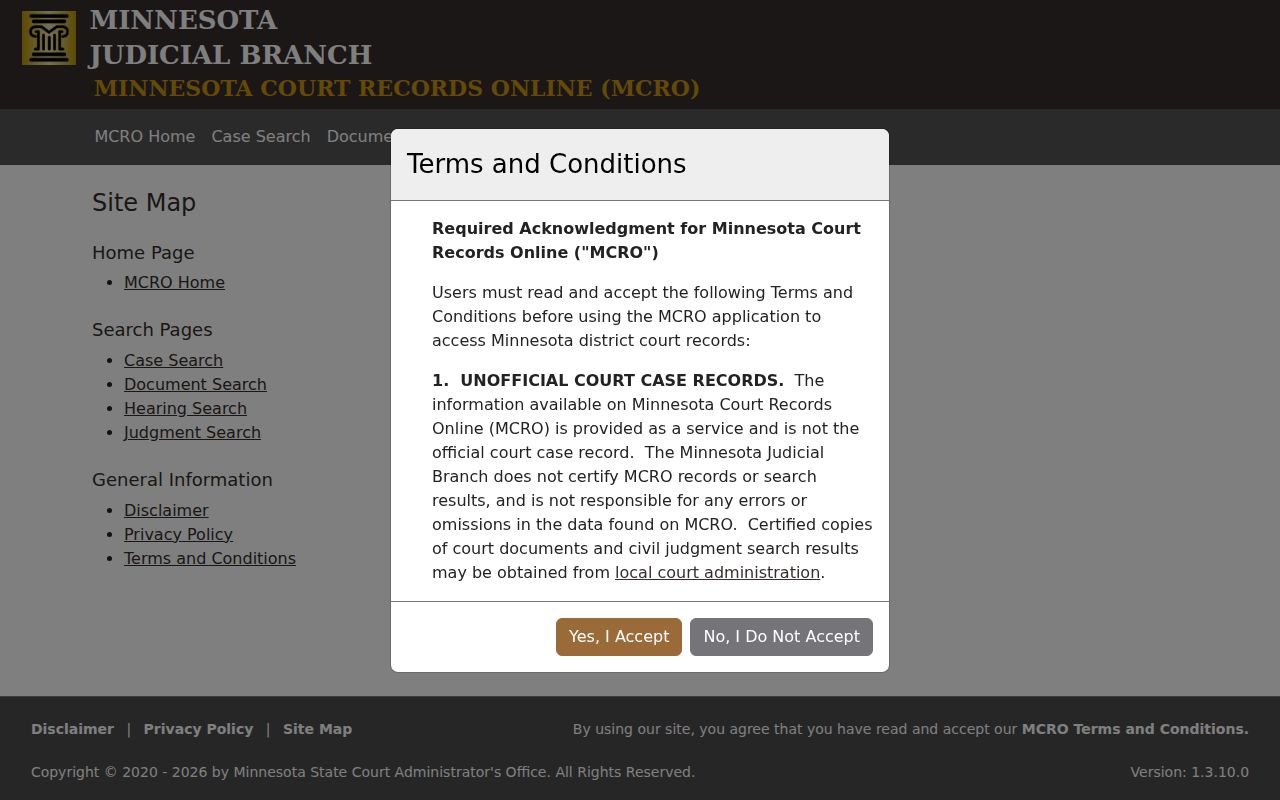
When a Roseau County civil docket document is not remote, do not assume it was never filed. The courthouse terminal or Court Administration is the better next step. Note: Remote availability can shift by case type, document date, and access status within the same court file.
Roseau County Civil Docket Record Reading
Reading a Roseau County civil docket works best as a neutral task. Check the court, the case number, and the category. Note each party's role, the dates, and the order of events. A complaint, an answer, a calendar appearance, or a status label is never a claim about a person. The controlling order, the judgment, and the later ROA events supply the real legal context.
MCRO itself warns that its information may be incomplete or inaccurate and is not the official case record. Need an official document or an access answer? Court Administration is where the record actually lives.